


















































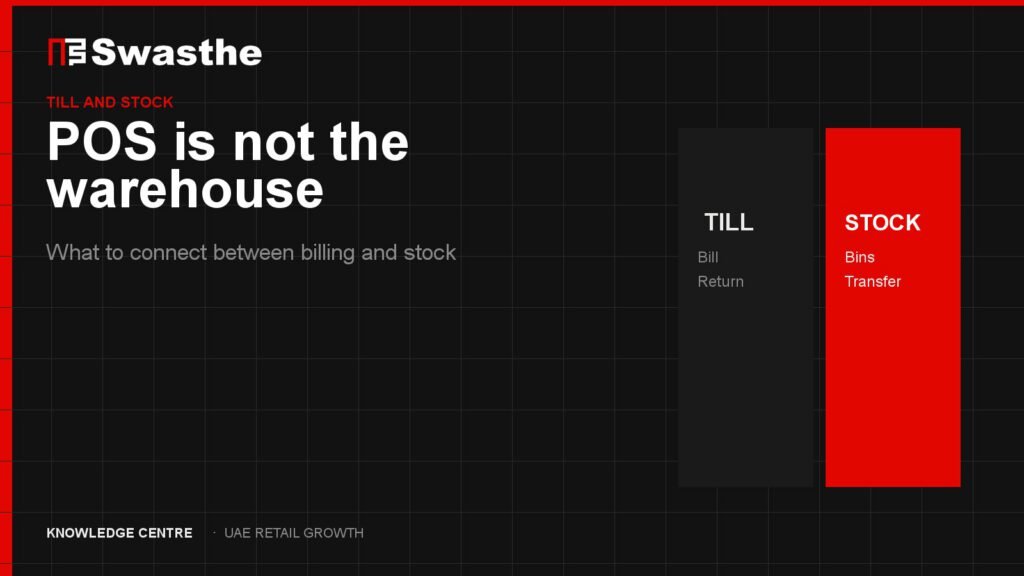
POS versus inventory management software is a job split, not a beauty contest. The till takes the payment and prints the VAT receipt. Inventory says how many units exist, where they sit, and how many are still allowed to be sold. UAE retailers get into trouble when one login is asked to pretend it does both, while the other branch, the website and the warehouse keep their own counts.
If you are choosing software this quarter, separate the two jobs before you sign. A billing tool with a stock field is not a multi-branch ledger. A warehouse system that cashiers will not open during a Saturday queue is not a till.
What the POS owns
On the floor, the POS has to be fast. A cashier in a Dubai mall or a Sharjah pharmacy needs:
- The right price, including VAT, without a manager override for every jar.
- A return that knows the original ticket.
- The customer’s phone or loyalty id when they offer it.
- A payment on the terminal that matches the receipt. Card, wallet and, where you use it, a payment link from the same merchant — Swasthe’s payment partner is uTap.
- A record that a unit left this branch at this minute.
That last line is where POS and inventory touch. The till reports a movement. It should not be the only place that movement is stored if another branch, a website or a warehouse also sells the SKU. The buying checks for a till contract are in POS software for UAE retail.
What inventory software owns
Inventory owns the quantity the business is willing to promise.
- On-hand. Units in a bin, on a shelf or in a cage.
- Reserved. Units already paid for online and not yet picked.
- Available-to-sell. On-hand minus reserved minus anything you refuse to sell, such as damaged stock or a display unit.
- Transfers. A carton that left the Sharjah store and has not been received in Dubai is in neither shop’s available count.
- Purchasing. What is on order from the supplier, with a date you trust.
A Thursday Excel file can list these words. It cannot update them when the Marina till sells the last bottle at 8pm and Amazon.ae is still taking orders. The deeper software checks, if you already know you need a stock system, are in inventory management software for UAE stores.
Where each fits, and where it does not
POS without a real inventory layer fits a single counter, one stock room, and no website that sells the same SKU overnight. The moment you add a second branch or Shopify, the till’s on-screen quantity becomes a local rumour.
Inventory software without a till the cashiers use fits a warehouse that only ships wholesale. It does not fit a mall queue. If staff sell on the POS and “update stock later,” later means Monday, and Sunday’s marketplace orders are already wrong.
One platform that does billing and stock fits when the same operator must see both during the day: sell at the till, transfer to another branch, and stop the website selling a unit that just left. That is a fit question, not a trophy. Some retailers will keep a specialist warehouse tool and connect it. Some will keep Shopify as the commerce channel and connect a separate till. The wrong move is two systems that both believe they are the stock authority.
Do not pick a winner from a feature grid alone. Pick the system that is allowed to say available, and make the other system write its movements there the same day.
Two numbers for one SKU
The business gap is simple to see and expensive to ignore. This is an architecture observation.
A beauty retailer has 12 units of a serum in the system the purchaser trusts, 4 on the Dubai shelf, and 9 on Shopify because a staff member received a transfer into the website and not into the branch. Noon still shows the parent as in stock from Friday’s file. The cashier sells 4. The site sells 2 more overnight. Monday starts with a negative available count and two refund chats. Nobody’s software “failed” in the sense of a crash. The jobs were split across tools that did not share a movement.
Fifteen ways this shows up in a normal month are listed in retail inventory problems in the UAE. The channel version — site, floor, Amazon, Noon — is omnichannel retail.
ElintOm is one retail operations platform built for this join: POS billing and inventory on the same platform, with a sale at the till updating the inventory online and marketplace channels use, and multi-store stock rather than a single counter. That is the role. It is not a claim that every other POS or inventory product is incapable of integration. If your current till and your current stock tool already exchange movements the same day, keep them and test the five SKUs below.
What to connect before you buy a third system
- Choose five SKUs that sell in-store and online.
- Write four numbers for each: shelf, till, website, marketplace.
- Sell one unit at the till. Refresh the website. The available count should drop before the next customer can pay.
- Receive a transfer. The sending branch loses the unit the same day. The receiving branch gains it when it is actually on the shelf, not when the van leaves.
- Process a return. The unit returns to available only if it can be sold again.
If step 3 fails, you do not have a POS-versus-inventory preference. You have two ledgers. Fix that connection before a CRM project or a larger ad budget. The sequence is Audit, Build, Connect, Grow — connection is the step that makes the next campaign safe.
If you can already see the two numbers and want them diagnosed with checkout and demand, start a Free Growth Audit. If you are still mapping the wider stack — commerce and CRM included — read the UAE retail technology stack. When inventory is the named bottleneck, the operations platform is ElintOm.
FAQ: POS vs inventory management software
Is a POS enough for inventory?
Enough for one counter and one stock room that does not sell online overnight. It is not enough when a second branch, a website or a marketplace can sell the same SKU.
What is the difference between on-hand and available?
On-hand is what you can touch. Available is what you may still promise after paid orders, transfers and unsellable units are removed. Selling from on-hand is how oversells start.
Should Shopify replace my POS?
Only if you are willing to make Shopify the till as well as the site. If the mall counter stays on another system, that system and Shopify need one available count. See the Shopify and POS article.
Can I keep Excel for purchasing?
You can draft a purchase on a sheet. The available count customers buy against has to live in the system the till and the site read. A sheet that is retyped on Monday is already late for Saturday.
What should I open next?
If you want the symptom list, open the 15 inventory signs. If you want the website and the shelf, open Shopify, POS and inventory. If you want the leak diagnosed, start a Free Growth Audit.